Claude connector
Tribune Desk in Claude.
The Tribune Desk connector lets you run your newsroom’s work from a conversation with Claude: commission and edit articles, follow monitoring, manage autopilot rules and the media library.
For newsrooms that already work in Claude and have a Tribune Desk account.
Set up
Add the connector in five steps.
You need a Claude account and a Tribune Desk account. There is nothing to install: the connector runs on our servers.
Connector URL
https://api.tribunedesk.com/mcp
01
Open Plugins
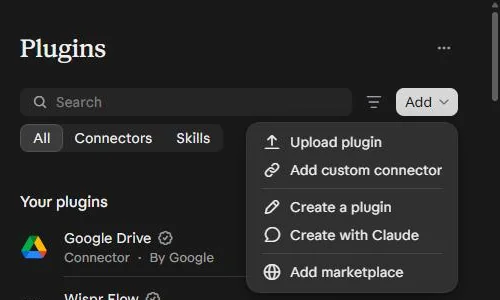
On claude.ai, open Plugins in the left menu, click Add, then Add custom connector.
02
Paste the address
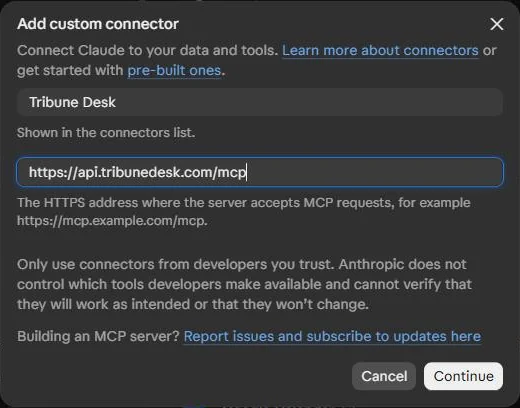
Step 1 of 2: name the connector Tribune Desk, paste the connector URL and click Continue.
03
Keep the detected settings
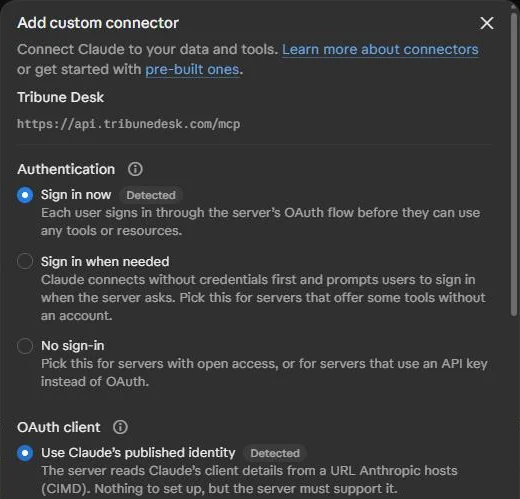
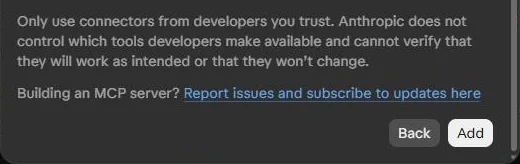
Step 2 of 2: leave what Claude detected (Authentication: Sign in now; OAuth client: Use Claude’s published identity) and click Add.
04
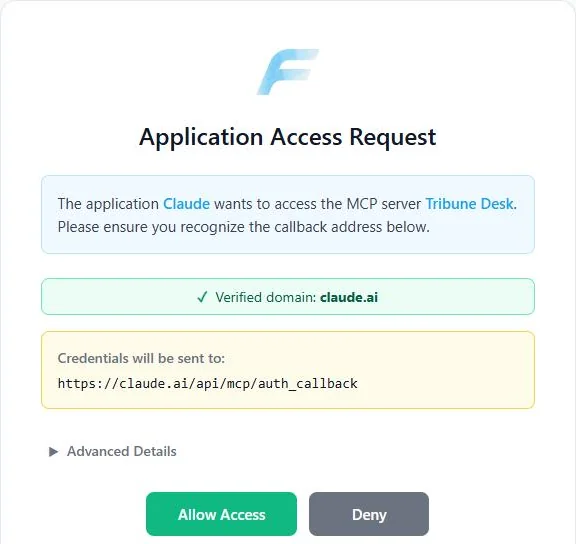
Allow access and sign in
A Tribune Desk page asks you to allow access for Claude. Choose Allow Access, then sign in with your Tribune Desk account. Claude shows Connected to Tribune Desk, and the connector appears in your plugins.

05
Ask Claude
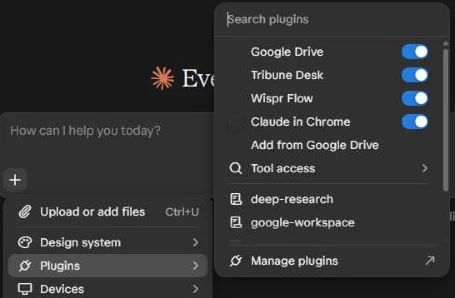
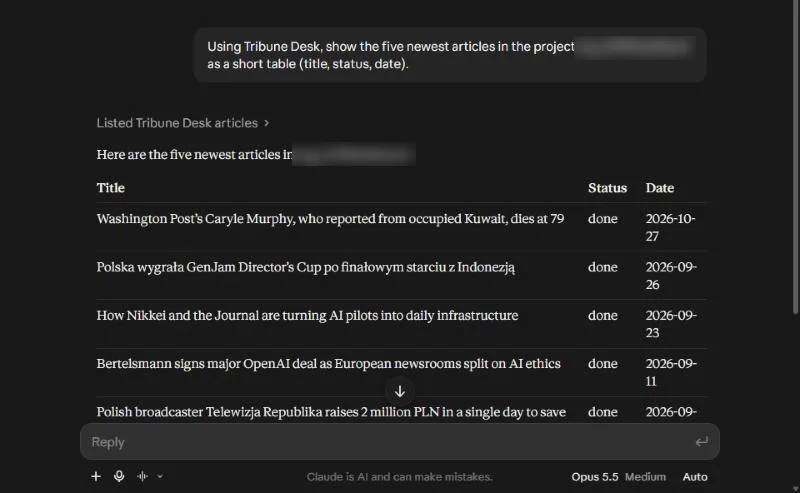
In a chat, open + → Plugins: Tribune Desk is switched on. Ask, for example, “Show the five newest articles in Tribune Desk”. On first use Claude may ask you to allow a tool (Allow once or Always allow), depending on your permission settings.
Free plan. Claude’s Free plan allows one custom connector.
Team and Enterprise. An organization owner adds the connector in the organization’s connector settings. Members then connect it and sign in with their own Tribune Desk account.
Claude Code. Add the connector from the terminal: claude mcp add --transport http tribune-desk https://api.tribunedesk.com/mcp
What you can do
The desk, from the chat.
If your account can open several organizations, you can work in all of them from one connector. Outside the organization you signed in to, editor-in-chief actions need a connector signed in to that organization.
Articles
Commission a piece from a topic, links, pasted text, social posts, council material or files from your disk. Edit it in the chat, research included, go back to an earlier version, move it through approval, send it to your CMS or export the HTML.
Files from your disk
Claude can’t pass chat attachments to a connector, so it gives you an upload link instead. Open it, drop your files on the Tribune Desk page, and Claude uses them as article sources, adds photos and videos to the media library, or transcribes a recording. Transcription is paid, as in the app.
Autopilot
Read, create and change autopilot rules, and follow the autopilot journal.
Monitoring
Topics, sources and council sessions, down to the full session transcripts.
Media library
Search the library, add photos and videos from your disk, edit image details, and see an article’s images and the suggestions for it.
Facebook queue
Where it is enabled for your newsroom: review, edit and schedule the posts in the queue.
Inbox
Read and answer messages from the Tribune Desk team, or write to support.
Usage
Editors-in-chief can check their newsroom’s usage and plan.
Security and data
Your permissions. Your Claude account.
Support
Questions about the connector, or something not working? Write to us and a human from Tribune Desk will reply.
The same permissions
Claude can do exactly what your account can do in the Tribune Desk app, and nothing more.
Account required
Without a Tribune Desk account the connector shows nothing.
Irreversible actions are marked
The connector marks irreversible actions, such as publishing or deleting, so Claude asks you before carrying them out.
Your data
The conversation goes through your own Claude account, with Anthropic, under the terms of that account. Read our privacy policy